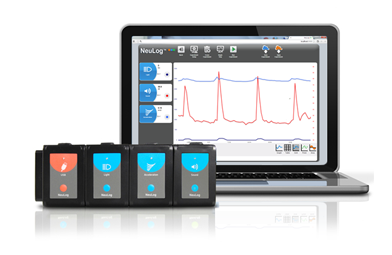
Quick Start
-
Install Neulog software if needed
-
Connect USB module to computer via micro USB -> USB cable
-
Connect other module(s) to USB module
-
No calibration is needed
-
Red LED should flash on the modules when plugged in
-
-
Open the NeuLog application
-
Modules should be automatically identified on the homescreen?
-
Sensors should give a live reading in both the module box and graph
-
-
The sensors are now ready to use, select the appropriate function button and proceed.?
Note: We do not currently have the battery module so sensors cannot be used offline.?
Software
Open source software can be downloaded from the Neulog website:?https://neulog.com/software/
When sensors are connected, the main screen should look like this:?

Note: the color of the graph is matched with the color dot on the sensor box.?
Selecting a sensor by clicking on its sensor module box will open the parameter window for module setup for that particular sensor. Each sensor has individual parameters for adjustment. This is to be done for each experiment.?

The "Run Experiment" button will display the Experiment Setup Screen. This allows for defining experimental parameters such as duration and sample rate. If "use sensor parameters" is selected, the sensor setup parameters will be used.?

The record and stop buttons here can be used to run the experiment.?
Once the experiment is done, the export button can be used to save the data (default CSV format). The experiment can also be saved as a picture (PNG) of the graphical data display.?
The "save experiment setup" button should be used to save the experimental parameters.?
All additional instructions can be found in the software manual.?
Modules
USB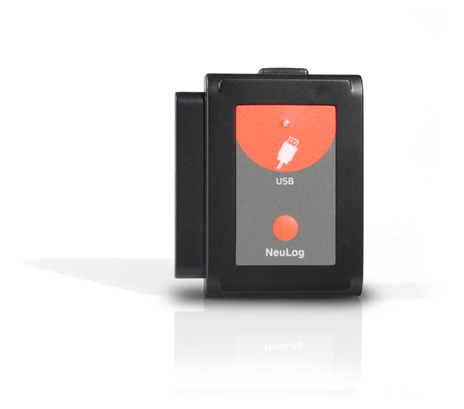
This module enables a fast connection between the sensors and computer. It provides power from the computer to the sensors and communication between the PC and the sensors. The connection to the PC is done by using a standard USB to Mini USB connecting cable (camera type).
Heart Rate & Pulse?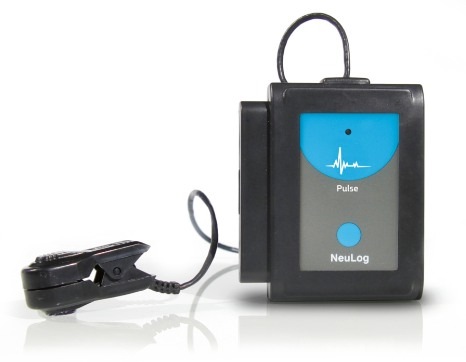
This sensor can be used to monitor pulse rates and it can show changes of blood volume/flow in the finger or ear lobe with time.
The sensor has two modes of operation: measuring the BPM (Beats per Minute) of the heart rate or displaying the analog arbitrary value of the measured signal.
The electrodes are both plethysmograph-based. The sensors consist of an infrared LED transmitter and a matched infrared phototransistor receiver.
For best results, the sensor should be kept away from direct sunlight and high intensity lights. It is sensitive to movement so the wearer should be as still as possible.
Specifications:?
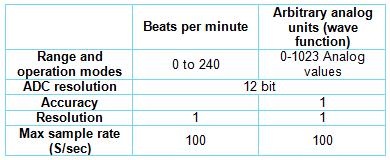
Detailed information can be found on the Neulog website here.
Respiration Monitor Belt?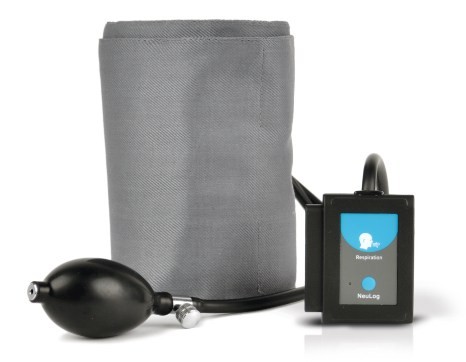
This sensor comes with a belt and measures the air pressure in it. The pressure changes according to the breathing of the subject. From the measured values, the respiration rate can be calculated.?
The transducer is based on silicon between metal foils that changes its resistance according to pressure. One side of it is at complete vacuum that enables to measure the absolute pressure on its other side.
Includes a respiration monitor belt attached directly to the sensor by flexible rubber tubing and a hand pump with pressure release valve attached directly to the respiration monitor belt.
Specifications
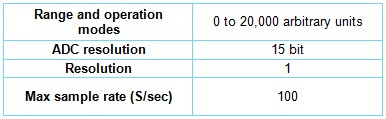
More information on this sensor can be found on the Neulog website here
?
Much of this information was obtained from the Neulog website:?https://neulog.com/?